QR stickers for your fridges
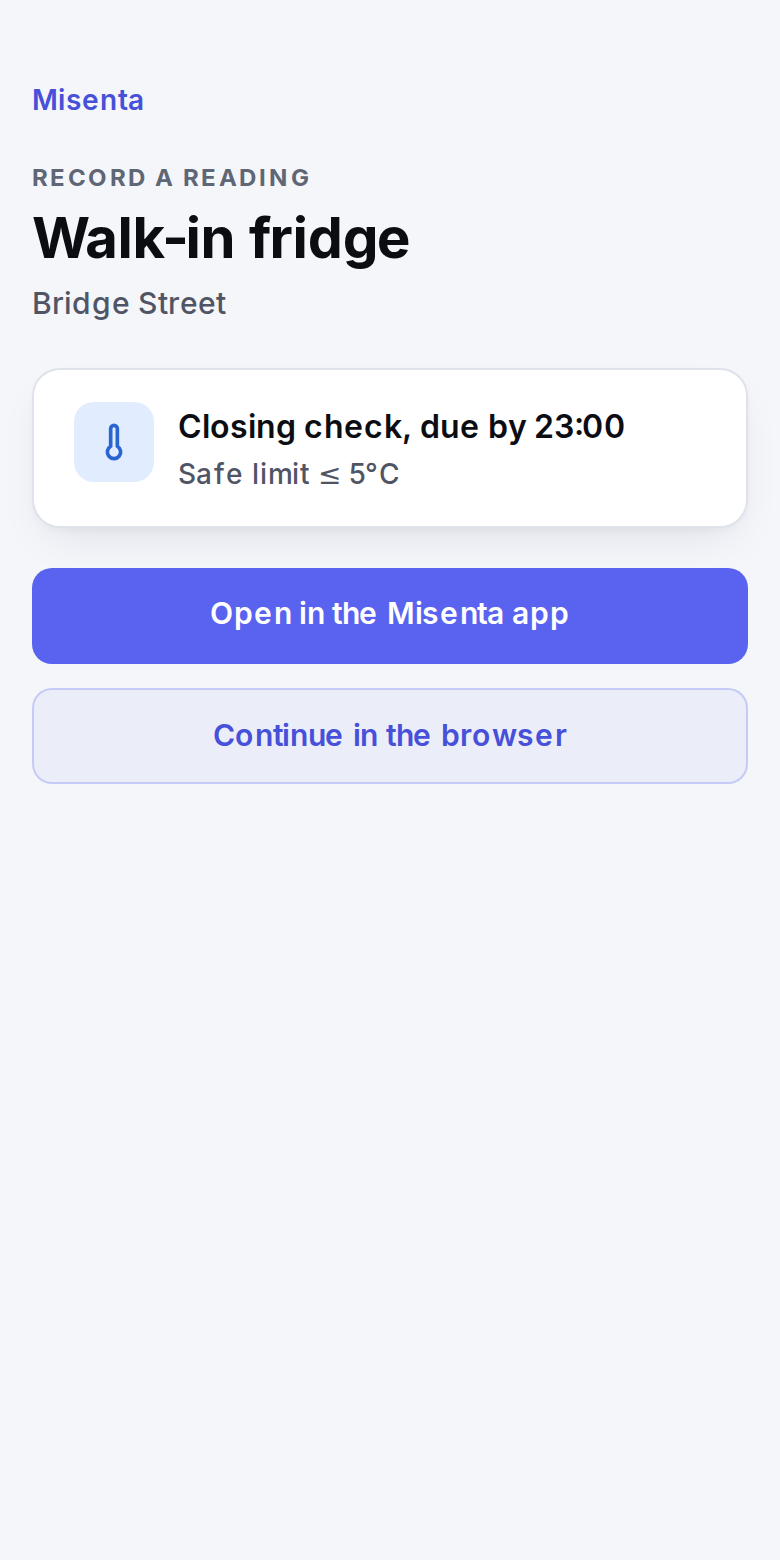
Print a sheet of QR stickers and put one on each fridge, freezer and hot-hold unit. Staff scan the sticker in front of them and that unit's check opens, with its due time and safe limit.
Included in every plan.
Start your free trial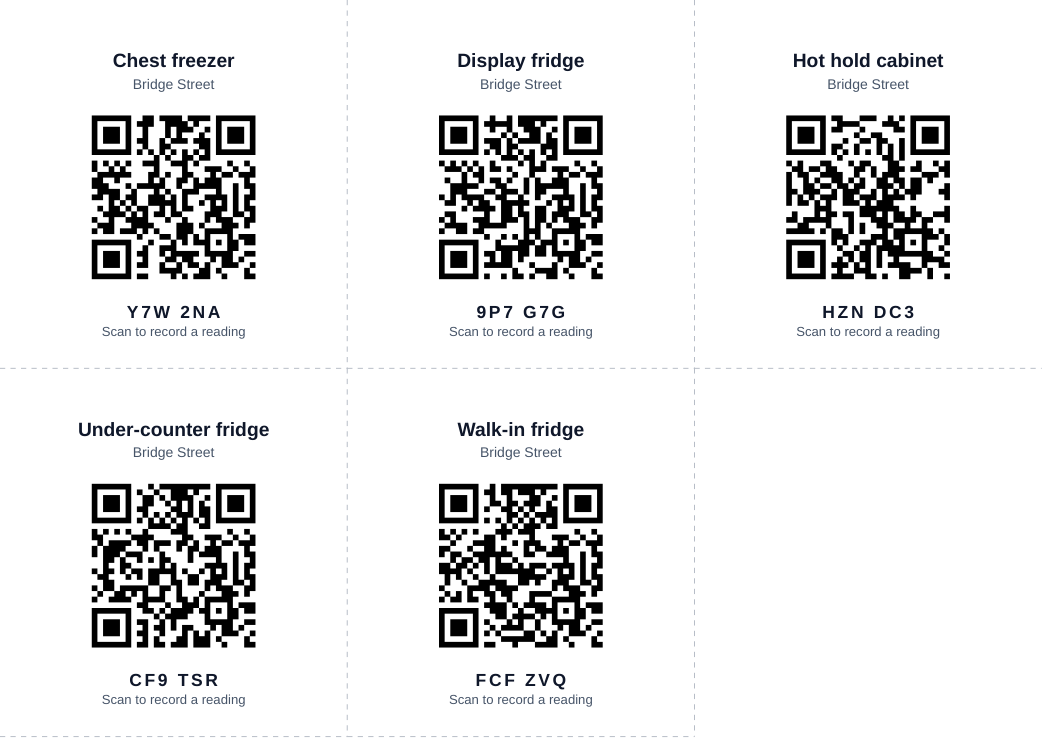
What it does
- One sticker per unit
- Print an A4 PDF of stickers for every unit that has a temperature check: fridges, freezers, hot-hold units and any other unit you check.
- Scan with the phone camera
- The camera opens the unit's page. Signed-in staff see its next check, the due time and the safe limit, then record the reading in the browser or, from version 1.2.0, in the Misenta app.
- Only your team can record
- Someone who is not signed in is asked to sign in first and comes straight back to the unit. Only members of your business can record a reading.
- Lost a sheet? Replace it
- Printing a replacement turns every old sticker off. Setup shows how many units have a sticker and when each one was last scanned.
How it works
Print
On the web, open Setup › Equipment and print the QR stickers.
Stick
Put each sticker on its unit, where staff can reach it with a phone.
Scan and record
Staff scan the sticker, check the due time and safe limit, and record the reading.
For UK locations. Printing stickers needs permission to manage equipment. See temperature logs