Sign off the day
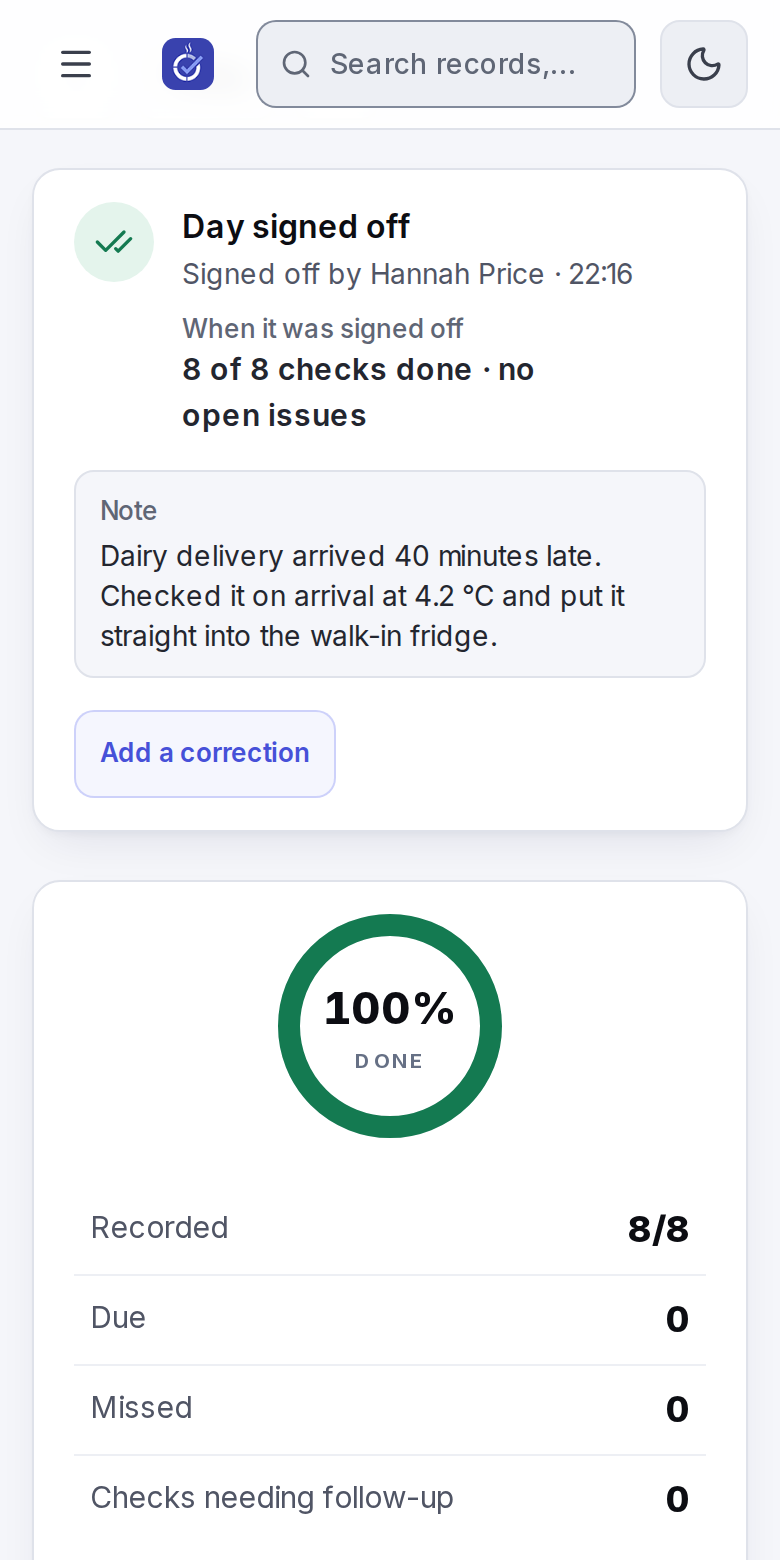
Paper diaries ask for a signature each day. In Misenta a manager signs off the day on Today: they see how many checks were done and any open issues, add a note if something went wrong, and sign.
Included in every plan.
Start your free trial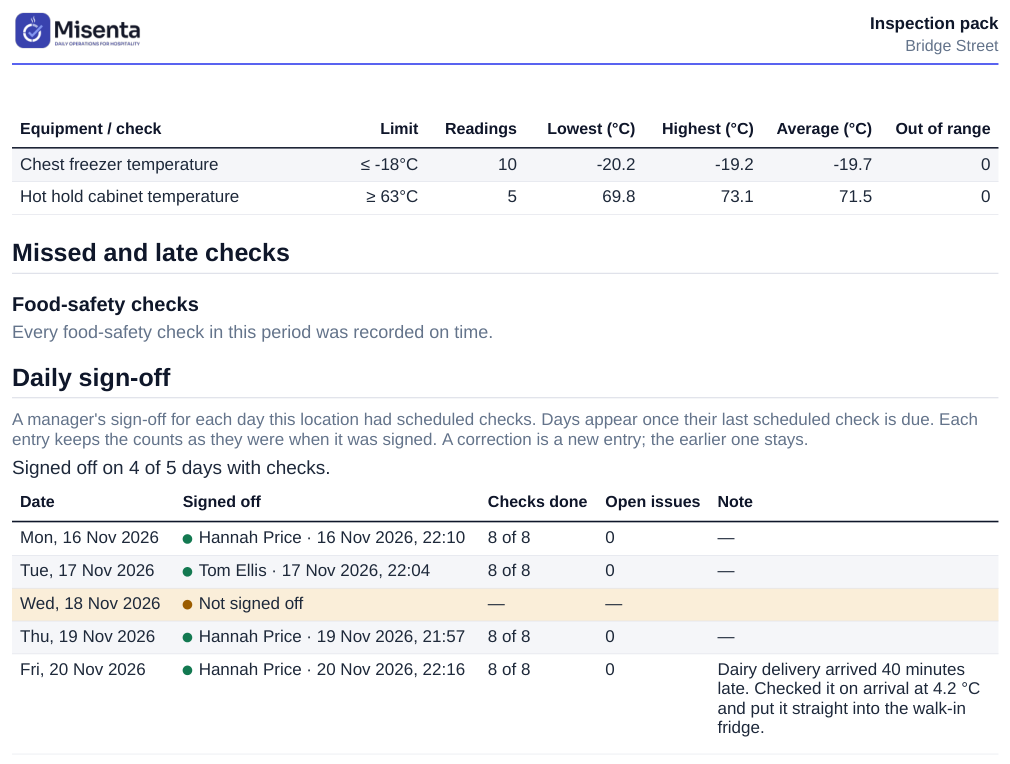
What it does
- See the day before you sign
- The card shows how many of the day's checks were done and which issues are still open.
- A note in your own words
- Write what went wrong and what you did about it, up to 2,000 characters, or sign without a note.
- Corrections are added, not edited
- If you learn something later, add a correction. The sign-off stays as it was, with the name and the time.
- In the inspection pack
- The inspection pack PDF lists each day as signed off, with who and when, or as not signed off.
- Who signs
- Owners and managers can sign off by default, and an owner can let supervisors sign too. An earlier day can still be signed later.
How it works
Run the day
The team completes checks on their phones, the shared tablet or the web as usual.
Sign off
As soon as every check is done, or at the end of the day, open Sign off the day on Today, add a note if you need to and sign.
Show it
When the EHO asks, export the inspection pack: signed and unsigned days are both in it.
For UK locations. On the web, and on the manager's phone from app version 1.2.0. See daily checks